https://www.greatminditacademy.com/ Azure Storage Accounts In this blog, I have covered important topics on Azure Storage accounts What is Azure Storage Account? An Azure storage account contains all of your Azure Storage data objects, including blobs, file shares, queues, tables, and disks. The storage account provides a unique namespace for your Azure Storage data that's accessible from anywhere in the world over HTTP or HTTPS. Data in your storage account is durable and highly available, secure, and massively scalable.By using azure storage account, we dont need to worry about space as it is scalable as per our demand. Storage Account Types. Accessible via REST API: Queue Storage, BlobStorage, Table storage Designed for AZVM : File storage and Disk Storage Azure Storage offers several types of storage accounts. Each type supports different features and has its own pricing model. Type of storage account Supported storage services Redundancy options Usage Standard general-purpos...
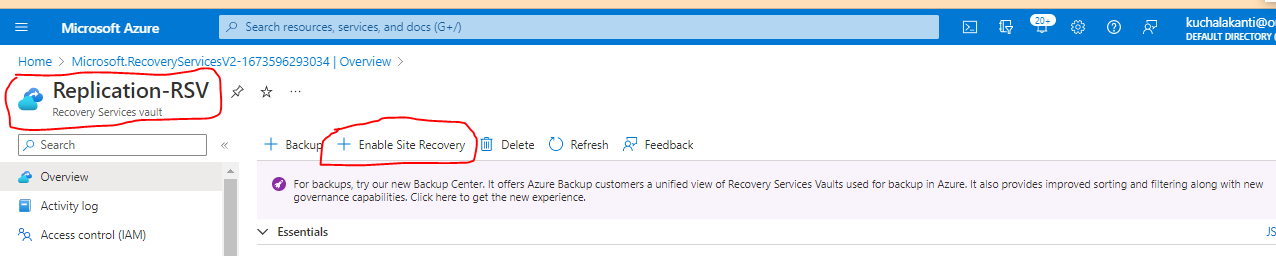
https://www.greatminditacademy.com/ What is Azure Site Recovery A Business continiuity and disaster recovery (BCDR) strategy helps organization secure data, applicaitons,and workloads during planned or unplanned outages. To help organizations implement BCDR, Azure provides Azure Site Recovery (ASR). ASR ensures business continitury during outages by replicating applications and workloads from their primary location to a secondary site. Basically the service replicates the workloads running in your VMs to a different location from the primary site. post covers DR architectures : Features of Azure Site Recovery Azure Site recovery Step by Step How do I set up Azure Site Recovery Azure Site Recovery ARchitecture Asr provides support for several migration and disaster recovery Scenarios: Replicating Physical servers from on-premises data centers and other cloud providers to Azure replicating Virtual machine...
https://www.greatminditacademy.com/ Back up an Azure VM from Recovery Service Vault 1. Sign into Azure portal 2. Create Resource group ( eastus) 3. Create Virtual Network 4. Create Virtual Machine 5. Create Recovery Service vault (EastUS) Now configure Backup --> click on Backup Once you click on Bakcup up--> you can configure backup policy Below the custom backup policy Now Add Virtual machines, which has to configure backup check Backup items to check Backupjobs



Comments
Post a Comment